

 CONVERSION CABLES
 POWER CABLES
 SAS CABLES
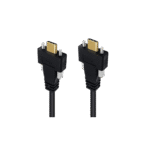 TYPE C CABLES
 SPLITTERS
 SWITCHERS
 PLANT GROW LIGHTS
USB-C Panel Mount Cables for Robotics and Control Boxes

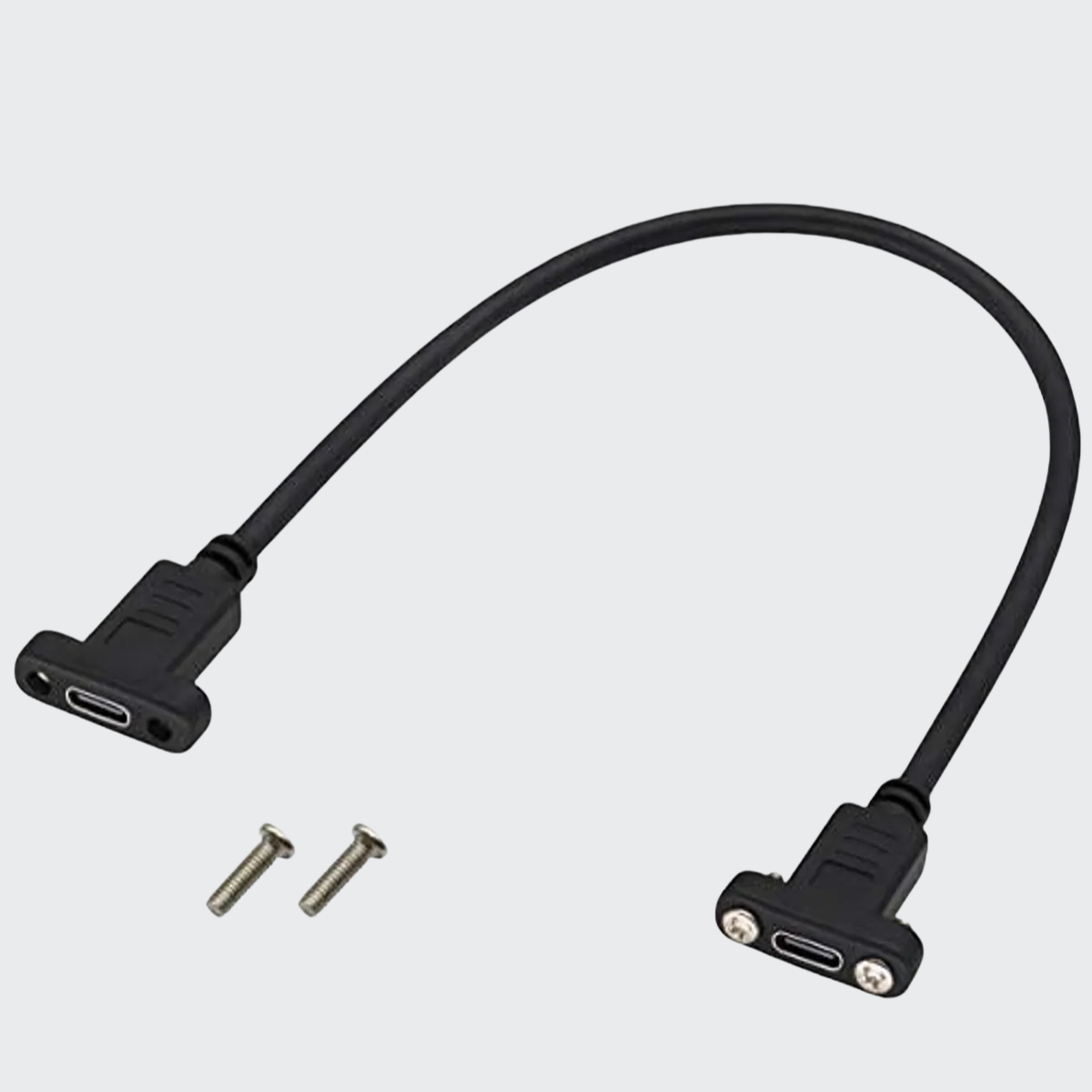
A USB connection inside a control box is not always easy to reach. A USB-C panel mount cable can bring a compatible connection to the outside of an enclosure, giving technicians a convenient access point for setup, diagnostics or data transfer.
The Legacy’s catalogue includes several Type-C connection arrangements. Choosing the right one starts with the internal connector, the external connection you need and the way the cable will be installed.
Panel mounting and screw locking serve different purposes
A panel-mounted socket provides an accessible connection on an enclosure. A screw-locking plug uses a matching fixing arrangement to help retain the connection.
These features are not interchangeable. A locking USB-C plug needs compatible screw locations on the device; it will not lock onto every ordinary USB-C port.
The Legacy’s USB-C connection options
1. USB-C male-to-male cable with M2 screw locking
This option connects compatible USB-C ports and includes M2 screw-locking hardware. It is worth considering where the device provides the matching mounting arrangement and connection retention matters.
Check screw spacing, connector clearance and the available cable length before selecting it.
View the USB-C screw-locking cable.
2. Motherboard header-to-USB-C front panel cable
This option connects a compatible motherboard Type-E header to a USB-C female front panel port.
It can be useful in a PC-based control enclosure when the motherboard has the required header. It is not an adapter for every internal USB header, so check the board documentation first.
View the USB-C front panel header cable.
3. USB-A male-to-USB-C female panel mount cable
This arrangement connects a suitable internal USB-A port to an accessible USB-C female panel connection.
It may suit a control box built around a compatible USB-A host, provided the connected device and the complete adapter arrangement work together. The USB-C socket does not upgrade the USB-A host’s speed or add USB Power Delivery capabilities.
View the USB-A to USB-C panel mount cable.
4. USB-C female-to-female panel mount cable
This option has a USB-C female connection at both ends. It can provide a panel-mounted connection in an enclosure where the complete USB connection arrangement is compatible with the host and device.
Confirm the required cable length, data capability and power support before selecting it. Adding a female-to-female extension does not guarantee that every USB-C feature will work through the complete connection.
View the USB-C female-to-female panel mount cable.
How these cables can be used in robotics
The following are possible applications where the controller and connected devices support the required USB interface.
An accessible maintenance port
A panel connection can give a technician access to a controller’s supported USB interface for configuration, firmware updates or diagnostics without reaching inside the enclosure for routine connection.
Follow the equipment manufacturer’s maintenance procedure; a panel port does not make internal electrical work safe.
Connections in a PC-based control box
A compatible front panel header cable can provide USB-C access on an industrial PC enclosure used in a robotics system.
A suitable USB-A-to-USB-C panel adapter may provide an alternative arrangement where the host uses USB-A. Select it according to the actual host and device requirements.
Compatible peripheral connections
USB connections may support a camera, data logger or other compatible peripheral. Check the required data rate, power and device compatibility rather than assuming every Type-C cable supports the same functions.
These are potential uses, not claims that The Legacy’s cables have been tested in a particular robot or controller.
Fixed installations versus moving robot arms
A cable installed inside a fixed control enclosure has different mechanical requirements from one repeatedly bending or twisting on a moving robot arm.
Panel mounting and screw locking do not establish continuous-flex or torsion suitability. For moving installations, specify a cable designed and tested for the required motion, bend radius and operating environment.
What to check before ordering
- Connectors: identify both ends and the host/device arrangement.
- Mounting: confirm panel thickness, opening dimensions, screw spacing and clearance.
- Capabilities: verify data speed, charging support and any video requirement for the exact model.
- Cable route: specify the required length and strain relief.
- Environment: confirm any required shielding, sealing or motion rating.
USB-C describes a connector system. It does not automatically mean 10Gbps data, 100W charging, video output or waterproof construction.
Discuss your panel mount requirements with The Legacy
Send your internal connector type, required external port, enclosure dimensions, cable length and intended use.
For a robotics project, also explain whether the cable is installed in a fixed enclosure or exposed to repeated movement.
Browse The Legacy’s connectivity products or contact us to discuss the appropriate USB-C panel mount or screw-locking option.