

 CONVERSION CABLES
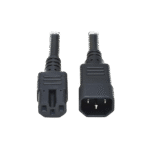 POWER CABLES
 SAS CABLES
 TYPE C CABLES
 SPLITTERS
 SWITCHERS
 PLANT GROW LIGHTS
C13 to C14 Power Cable Guide: 10A, 15A and Colours

A server rack needs more than the right equipment. Each device also needs a power cable that matches its inlet, the available power outlet and the installation requirements.
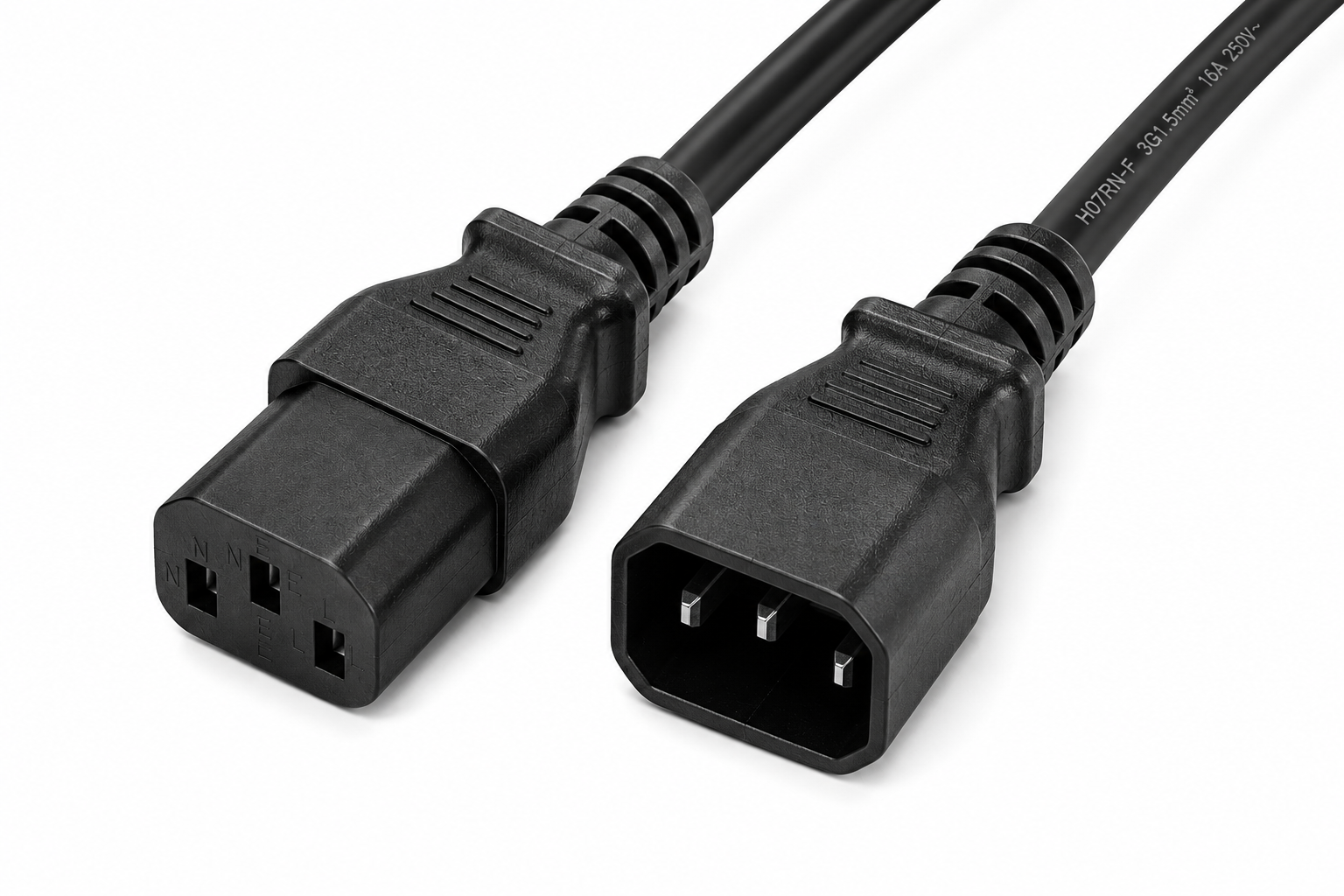
An IEC C13 to C14 power cable, also called a C13 to C14 power cord, is commonly used to connect compatible servers and other IT equipment to a rack power distribution unit (PDU) or an uninterruptible power supply (UPS). Choosing the right cable helps keep connections organised and makes future maintenance easier.
10A and 15A options from The Legacy
The Legacy can manufacture and supply C13 to C14 power cables in both 10A and 15A options, with multiple colours available to suit your rack organisation requirements.
Choose the appropriate option for your equipment and installation. Confirm the operating voltage, complete cable assembly rating and applicable approval requirements for the selected model before ordering.
What is a C13 to C14 power cable?
This cable has two different ends:
- C13 female connector: connects to equipment with a compatible C14 power inlet.
- C14 male plug: connects to a compatible C13 outlet on the power source.
Although suppliers may call it either “C13 to C14” or “C14 to C13,” the connector arrangement is the same. Check both ends before ordering; a similar product name does not guarantee compatibility.
Using a C13 to C14 power cord in a server rack
C13 to C14 power cables are used in server racks, network cabinets and IT installations where the equipment and power source have matching connections. Typical applications include:
- Connecting a compatible server to a rack PDU.
- Connecting compatible IT equipment to a UPS with C13 output sockets.
- Replacing a damaged or unsuitable cable in an existing installation.
Not every server, switch, UPS or PDU uses these connectors. Check the actual equipment inlet and outlet rather than choosing by device category alone.
How to choose the right cable
1. Match the server power cable to both connectors
Confirm that the equipment has a C14 inlet and the supply has a C13 outlet. If the equipment requires a different connector, such as C15 or C19, select the appropriate cord assembly.
2. Verify the complete cable rating
Check the voltage and current rating of the complete cord assembly, along with the equipment requirements and power-source limits.
C13/C14 connector ratings can differ under IEC and UL/CSA standards. Select the appropriate 10A or 15A model based on its documented voltage and current rating, the installation requirements and the applicable standard. A thicker conductor alone does not establish the complete cable assembly’s rating.
3. Choose a practical length
Measure the cable route, including bends and the distance to the outlet. Allow enough slack for servicing without leaving large loops in the rack.
For example, two devices in the same cabinet may need different lengths because their power inlets and assigned PDU outlets are in different positions.
4. Check construction and documentation
Ask for the conductor material, conductor size, cord rating and relevant approval information for the exact model. Confirm suitability for the installation environment rather than relying on terms such as “heavy duty” alone.
5. Plan identification and cable routing
The Legacy offers multiple cable colours to help technicians identify connections and organise rack wiring. Combine your chosen colours with clear labels. Where a rack uses A and B power feeds, document which cable connects to each feed. Cable colour helps identification; it does not create power redundancy.
Common buying mistakes
Avoid choosing a cable only because its connector appears to fit. Other common mistakes include ordering excessive lengths, assuming all IEC power cords share the same rating, and overlooking a device’s specific connector requirements.
An organised rack starts with a clear list of equipment, outlet types, required cable lengths and electrical ratings.
Frequently asked questions
What is the difference between C13 and C14?
C13 is the female cord connector; C14 is the mating male connector or equipment inlet. On a C13 to C14 power cord, the C13 end connects to a compatible equipment inlet and the C14 end connects to a compatible supply outlet.
Can The Legacy supply 10A and 15A C13 to C14 cables?
Yes. The Legacy can manufacture and supply both options. Specify the operating voltage and required current, and confirm the selected assembly’s documented rating for your installation.
Are multiple cable colours available?
Yes. Ask The Legacy about available colour options when ordering. Colour coding can help identify rack connections and power feeds, especially when combined with clear labels.
Find the right power cable with The Legacy
Planning a server rack or replacing existing power cords? Ask The Legacy about 10A and 15A C13 to C14 power cables in multiple colours. Share your required current rating, operating voltage, cable length, colour preference and equipment connector types so we can discuss the suitable option.
Browse our connectivity products or contact The Legacy to discuss a suitable C13 to C14 power cable for your installation.



One thought on “C13 to C14 Power Cable Guide: 10A, 15A and Colours”